Nested Salesforce Aggregates Without Apex or Extra SOQL
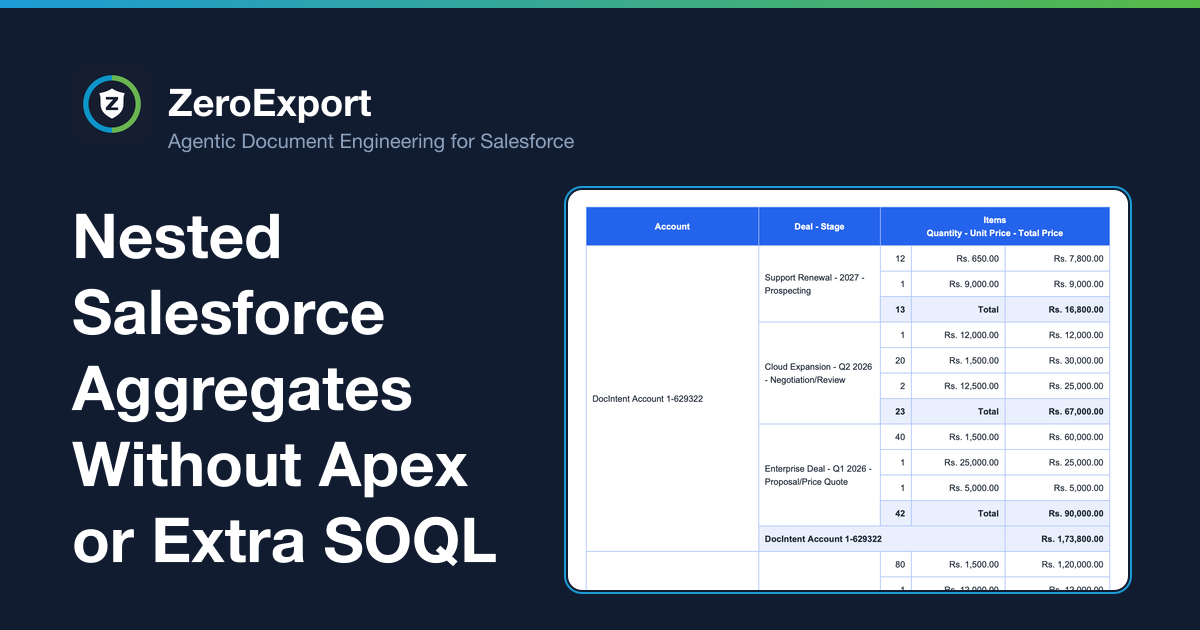
Calculate scoped SUM, COUNT, and AVG values across Salesforce record hierarchies up to five levels deep—without extra SOQL queries, Apex Map code, or Word XML formulas.
Need a subtotal for every deal and a grand total for every account in a Salesforce document? With nested data, calculating those values can turn into extra SOQL queries, Apex maps, or Word formula workarounds.
ZeroExport's one-click summary query builder calculates SUM, COUNT, and AVG over the configured record hierarchy in a single pass. Subtotals stay scoped to their parent records, through hierarchies up to five levels deep, without adding a separate SOQL query or Apex Map for every level of the summary.
What a multi-level aggregate looks like
Consider a document table with this hierarchy:
Account → Opportunity → Line Items
Each opportunity needs a line-item subtotal, and each account needs a grand total across its opportunities. The output must keep each subtotal attached to the right deal and each account total scoped to that account.
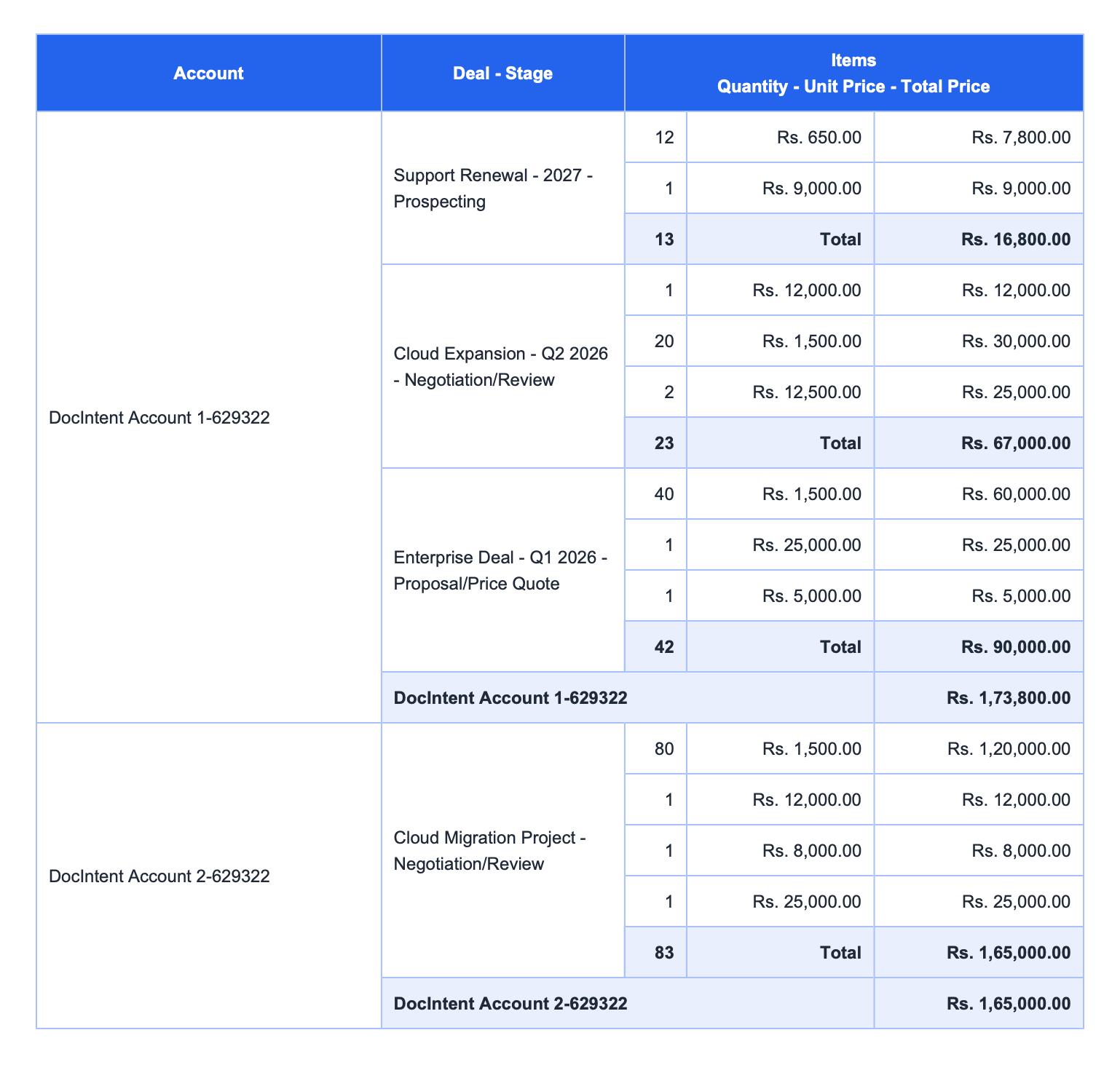 Each Opportunity subtotal is scoped to its own line items; the Account total rolls up its opportunities.
This is more than adding a total to the end of a flat list. The aggregate needs to understand the current level of the record hierarchy so that one parent’s children are not included in another parent’s subtotal.
The legacy workaround: calculate each level yourself
When a document tool cannot calculate aggregates in the current relationship scope, teams often move the calculation elsewhere:
- Add SOQL subqueries or separate queries to fetch and summarize child records.
- Build Apex wrappers or nested Maps to group results and pass computed values to the template.
- Precompute totals in custom fields or automation, then keep those values synchronized with the source records.
- Use Word formulas such as
SUM(ABOVE)or XML-level template logic, which can become fragile when rows repeat, disappear, or move across page breaks.
These approaches can work, but they make a document-layout change depend on query logic, code, Salesforce schema, or template internals. A new subtotal may become a code change and deployment rather than a setting on the table.
Add scoped summaries in the builder
ZeroExport provides aggregate functions over the records already present in the configured data hierarchy. Use the summary query builder to add calculations such as SUM, COUNT, or AVG in one step, then place the result in the appropriate summary row.
For example, aggregate tokens can express a subtotal for the current opportunity and a grand total across opportunities:
Subtotal for this opportunity: {{OpportunityLineItem.sum(TotalPrice)}}
Grand total: {{Opportunities.sum(OpportunityLineItem.TotalPrice)}}
The first calculation is scoped to the current opportunity's line items when used inside that opportunity's repeating context. The second crosses the relationship to sum line-item totals across the opportunity collection. count and avg follow the same aggregate model for record counts and averages.
The key is scope: put the calculation where the records it should summarize are in context. The aggregate is calculated over the loaded hierarchy; it does not need another SOQL query for every subtotal level.
How deep can the hierarchy go?
Nested relationships can be configured up to five levels total: the primary record plus up to four levels of child records. Each nested level remains scoped to its parent, so an aggregate in an inner repeating section summarizes that section's records, while an aggregate at a higher level can roll up across its descendants.
For example, a document may represent Account → Opportunity → Bundle → Item → Schedule. Aggregates can follow those configured relationships without adding a bespoke Apex Map for every level.
A distinction worth making: hierarchy vs. dynamic grouping
Nested aggregation follows relationships already defined in the data hierarchy. That is different from taking one flat list, inspecting a field at generation time, and automatically partitioning records into an unknown number of groups with a subtotal for each distinct value.
If you need to subtotal a known relationship hierarchy, scoped aggregates are the right model. If you need dynamic grouping of a flat list by arbitrary field values, confirm that requirement separately; it is not the same capability.
For the full rendering problem—including nested rows, merged cells, and page behavior—see complex table rendering in Salesforce documents. The iterations and scoped subtotals documentation explains how aggregate scope follows repeating parent-child sections.
FAQ
How do I calculate subtotals across nested Salesforce records?
Use an aggregate such as SUM in the repeating context for the parent whose children should be summarized. The subtotal is scoped to that parent; a higher-level aggregate can calculate the grand total across the hierarchy.
Do multi-level subtotals require extra SOQL queries?
Not for each subtotal level in ZeroExport. Its summary query builder calculates supported aggregates over the configured hierarchy in a single pass. Salesforce still retrieves the configured data; the point is that each rollup does not require a separate query.
Do I need Apex Maps to total nested Salesforce data in a document?
Not when the required totals follow the configured parent-child hierarchy. Use the builder's aggregate functions instead of writing separate Apex Map transformations for each level.
Which aggregate functions are supported?
The aggregate functions include count, sum, min, max, and avg. The summary query builder supports common calculations such as SUM, COUNT, and AVG.
Can I group a flat list by any field and add subtotals automatically?
That is different from aggregating a configured parent-child hierarchy. Dynamic partitioning of a flat list by arbitrary field values should be validated as a separate requirement.
Related reading
Ready to try ZeroExport?
Start generating documents directly in your Salesforce org. No integrations, no setup overhead, no complexity.