Global Salesforce Document Branding Across Templates
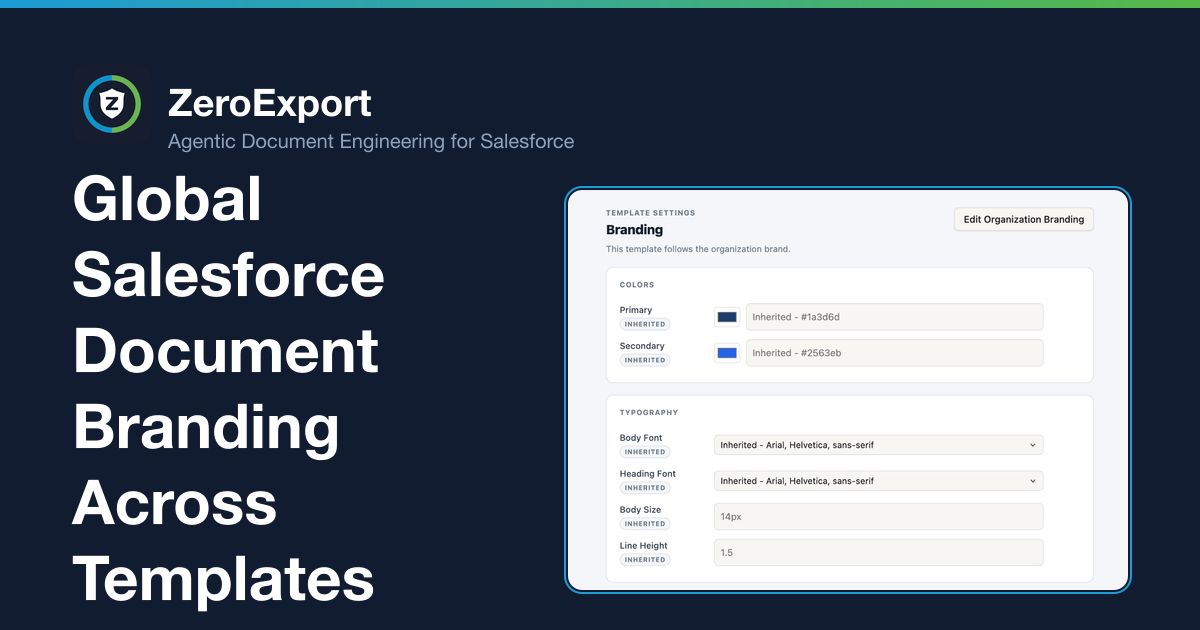
Learn how global, template-level, and inline styles control Salesforce document branding, and why templates must be recompiled after brand changes.
When a company updates its branding, the change should not become a project to open and restyle every document template. But teams often end up doing exactly that: adjusting templates one at a time, checking for inconsistencies, and hoping a later edit does not undo the work.
A more manageable approach is to set shared branding once and let Salesforce document templates inherit it, while preserving deliberate template-level and element-level choices.
Salesforce document branding precedence: global, template, and inline
ZeroExport applies branding through three levels. When the same style property is defined at multiple levels, the more specific setting takes precedence:
- Global branding provides shared defaults across templates.
- Template-level branding overrides the global setting for that template.
- Inline styles override the template-level setting for an individual element.
In short:
Inline style → template-level branding → global branding
This order lets a shared brand change flow across templates without wiping out intentional differences. A template can keep its own branding where needed, and an element with an explicit inline style keeps that customization.
Apply global branding across Salesforce document templates
Use global branding for the styles you want to apply consistently across your document library. Instead of making the same change in every template, update the shared setting once, then recompile all templates so they use the updated branding.
After changing global branding, recompile all templates. The updated branding takes effect immediately on recompilation wherever a template or element has not defined a more specific value.
Keep intentional variations intact
Not every document should look identical. A quote, invoice, and customer agreement may need different treatments while still belonging to the same brand.
Template-level branding is the middle layer for those differences. It takes precedence over global branding for that template, so the template can retain a deliberate variation without changing the organization-wide baseline.
Inline styles provide the most specific control. If an individual element has an inline style, it takes precedence over the template-level and global setting for that property. This means global branding changes do not override those explicit customizations.
The result is a cascade rather than a destructive bulk edit: global styles fill in the shared baseline, while template and inline choices remain in control where they are defined.
A safe workflow for a brand update
When your brand standards change:
- Update the global branding settings that should apply across the document library.
- Review templates that intentionally use template-level branding and confirm those differences are still wanted.
- Review any important inline customizations that should remain distinct.
- Recompile all templates so the updated global branding is applied.
- Preview representative documents from different template families to confirm the result.
This gives teams a repeatable update process without requiring a manual restyling pass through every template. It also makes exceptions visible: if a template or element does not take the global style, its more-specific setting is the first place to look.
For design decisions within an individual template, see Why WYSIWYG Document Builders Still Make You Fight the Formatting. If you are building an invoice from scratch, the branded Salesforce invoice guide walks through a complete example.
FAQ
Does global Salesforce branding override template-level styles?
No. Template-level branding takes precedence over global branding, and inline styles take precedence over template-level branding. Global branding applies where a more-specific setting has not been defined.
How do I apply a brand change to all Salesforce document templates?
You can update shared global branding once, then recompile all templates to apply it. Templates and elements with more-specific branding retain those settings.
When does a global branding change appear in generated documents?
Recompiling applies the updated shared branding to the templates. It is the step that propagates the global change through the templates that should inherit it.
Will a global branding update erase inline customizations?
No. Inline styles have higher precedence than template-level and global branding, so explicit element-level customizations remain in effect.
Related reading
Ready to try ZeroExport?
Start generating documents directly in your Salesforce org. No integrations, no setup overhead, no complexity.