Conditional Sections vs Conditional Visibility in Salesforce Documents
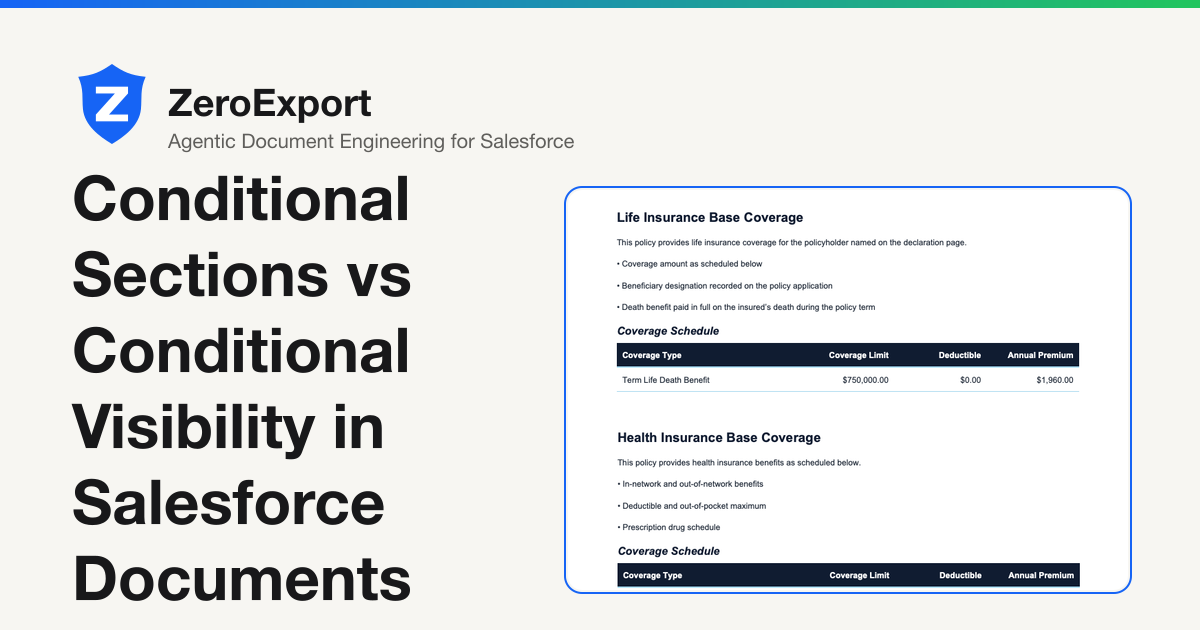
Understand the difference between hiding content and restructuring a document. Learn how conditional sections change document shape dynamically from Salesforce data.
There is a difference between hiding a field and restructuring a document.
Most Salesforce document generation tools understand the first concept. They call it conditional visibility: if a field is blank, hide it. If a checkbox is false, hide that row.
But conditional visibility is not the same as conditional structure.
When a document needs to include a state-specific disclosure, add a product-specific contract clause, or drop an entire investment section that does not apply to a particular client profile, you are not hiding content. You are changing the shape of the document itself.
This article explains why that distinction matters, where traditional tools break down, and how ZeroExport handles conditional document structure without template sprawl.
The Visibility Problem
Consider a proposal that needs to include one of three investment strategy sections depending on a client's risk profile:
- Conservative clients receive a capital preservation section
- Balanced clients receive a diversified growth section
- Aggressive clients receive an equity-focused section
With conditional visibility, you include all three sections in the template and hide two of them based on the risk profile field. The document generator outputs all three sections, just with two rendered invisible.
This creates several problems:
- The hidden sections still occupy layout space on some renderers
- Page breaks calculate against the total content, including hidden blocks
- Template maintenance requires updating three sections every time content changes
- More sections in a single template means higher rendering complexity
What Conditional Structure Actually Means
Conditional structure means the document itself changes based on data, not just what is shown, but what exists in the rendered output.
In a correctly structured dynamic document:
- The aggressive investment section is not hidden. It is absent.
- The document renders as if the other two sections were never there.
- Page count, headers, footers, and table of contents reflect actual content.
This is the difference between a document that pretends to be one page and a document that actually is one page.
When Conditional Structure Matters
Conditional visibility is sufficient for simple scenarios. Conditional structure becomes essential when:
- State-specific regulatory disclosures must be included or excluded based on client location
- Product-specific contract clauses vary by product type, not just product name
- Optional report sections depend on whether the related data exists at all
- Approval workflows require different document blocks based on deal size or approval stage
- Insurance rider packages must include or exclude coverage sections based on policy type
In all of these cases, a visibility toggle is an approximation. The document structure needs to change.
Step-by-Step: Build Conditional Sections in ZeroExport
1. Identify the Conditional Logic
Before building the template, map out the conditions:
- What Salesforce field drives each condition? (picklist, checkbox, formula field, or related record existence)
- What content block should appear or not appear based on that field?
- Are the conditions mutually exclusive (only one applies) or combinable (any subset can apply)?
Document this before opening the template builder. Conditional logic that is not planned in advance becomes nested spaghetti quickly.
2. Add Data Sources for Condition Fields
Open the Data source editor from the left rail and ensure the fields driving your conditions are selected. For example:
Risk_Profile__c(picklist: Conservative / Balanced / Aggressive)State__c(text or picklist: drives disclosure requirements)Policy_Type__c(picklist: drives which rider sections appear)
If your condition is based on whether a related record exists (for example, whether the Opportunity has a specific product category), configure the child data source and use record count as the condition trigger.
3. Add a Section Block in the Template Builder
In the template canvas, insert a Section block for each content variant. For the risk profile example, create three separate section blocks:
- Section A: Conservative Strategy
- Section B: Balanced Growth
- Section C: Aggressive Equity
Each section contains its own content: headings, paragraphs, charts, tables. No shared structure between them.
4. Configure the Conditional Rule on Each Section
Select Section A and open the Visibility or Condition panel. Set the rule:
- Field:
Risk_Profile__c - Operator: equals
- Value:
Conservative
Repeat for Section B (Balanced) and Section C (Aggressive).
In ZeroExport, these sections are not rendered with a display:none style. They are excluded from document assembly entirely when the condition is false. The document is not three sections with two hidden; it is one section that matched.
5. Audit every condition in one place
As a template grows, the same condition ends up on several sections. In ZeroExport 1.12 the Visibility tab shows the selected element's condition and, below it, every condition defined on the template, with the elements each one is placed on and whether they are set to visible or hidden.
From that list you can Go to an element, Edit a condition, Remove it from one element, or Delete it from every element after a confirmation. Use it to review all branching logic on a template at once, and to clean up conditions left behind by earlier revisions. See the conditional visibility docs for details.
6. Handle State-Specific Disclosures
For state-based content, the same pattern applies. Add a section for each state disclosure. Set the condition rule to the state field.
For documents that require disclosures for many states, use a Repeating Conditional Section pattern:
- Store disclosure content in a custom Salesforce object (one record per state)
- Filter the child data source by the relevant state field
- Render the disclosure section only when a matching record exists
This avoids creating one section per state in the template.
7. Preview Multiple Variants from One Template
Use the Test Bench to verify the template generates correct output for each condition:
- Select a record where
Risk_Profile__c= Conservative. Confirm only the conservative section appears. - Select a record where
Risk_Profile__c= Aggressive. Confirm only the aggressive section appears. - Verify page count, section headings, and footers reflect the actual rendered content.
One Template, Many Document Shapes
The goal of conditional structure is template consolidation. Instead of maintaining separate templates for each document variant, you maintain one template with branching logic.
When disclosure content changes, you update one section. When a new product type is added, you add one section block. No duplication, no synchronization errors across multiple files.
FAQ
What is the difference between conditional visibility and conditional sections?
Conditional visibility hides content from view but includes it in the document assembly. Conditional sections exclude content from assembly entirely. The difference matters for page layout, page count, and rendering accuracy.
Can I combine multiple conditions on a single section?
Yes. ZeroExport supports AND/OR logic for section conditions. For example, show a section only when Risk_Profile__c equals Aggressive AND Jurisdiction__c equals US.
What happens if no condition matches?
If no condition is true for a given section, the section is absent from the output. If all sections in a document are conditional and none match, the document renders without that block entirely. Plan a default or fallback section if a match is always expected.
Can conditions be based on whether a related record exists?
Yes. You can configure a condition based on whether a child data source has records. This is useful for sections that should appear only when certain products, riders, or sub-records are present.
Related Reading
Ready to try ZeroExport?
Start generating documents directly in your Salesforce org. No integrations, no setup overhead, no complexity.